Come scaricare video da AnimeNana?

AnimeNana è una popolare piattaforma online dove gli appassionati di anime possono guardare in streaming un'ampia varietà di serie, film ed episodi. Che si tratti di guardare le ultime uscite stagionali o di rivedere i classici preferiti, AnimeNana offre un modo pratico per godersi i contenuti anime online. Tuttavia, molti utenti desiderano salvare i video per la visione offline, soprattutto quando viaggiano, hanno connessioni internet instabili o vogliono creare una collezione personale dei loro episodi preferiti.
In questa guida esploreremo diversi metodi per scaricare video da AnimeNana, dalle semplici soluzioni di registrazione dello schermo alle estensioni per browser, dai downloader online ai software avanzati per il download in blocco. Dopo aver letto questo articolo, saprai quale metodo di download di video da AnimeNana è più adatto alle tue esigenze.
1. Registra video di AnimeNana
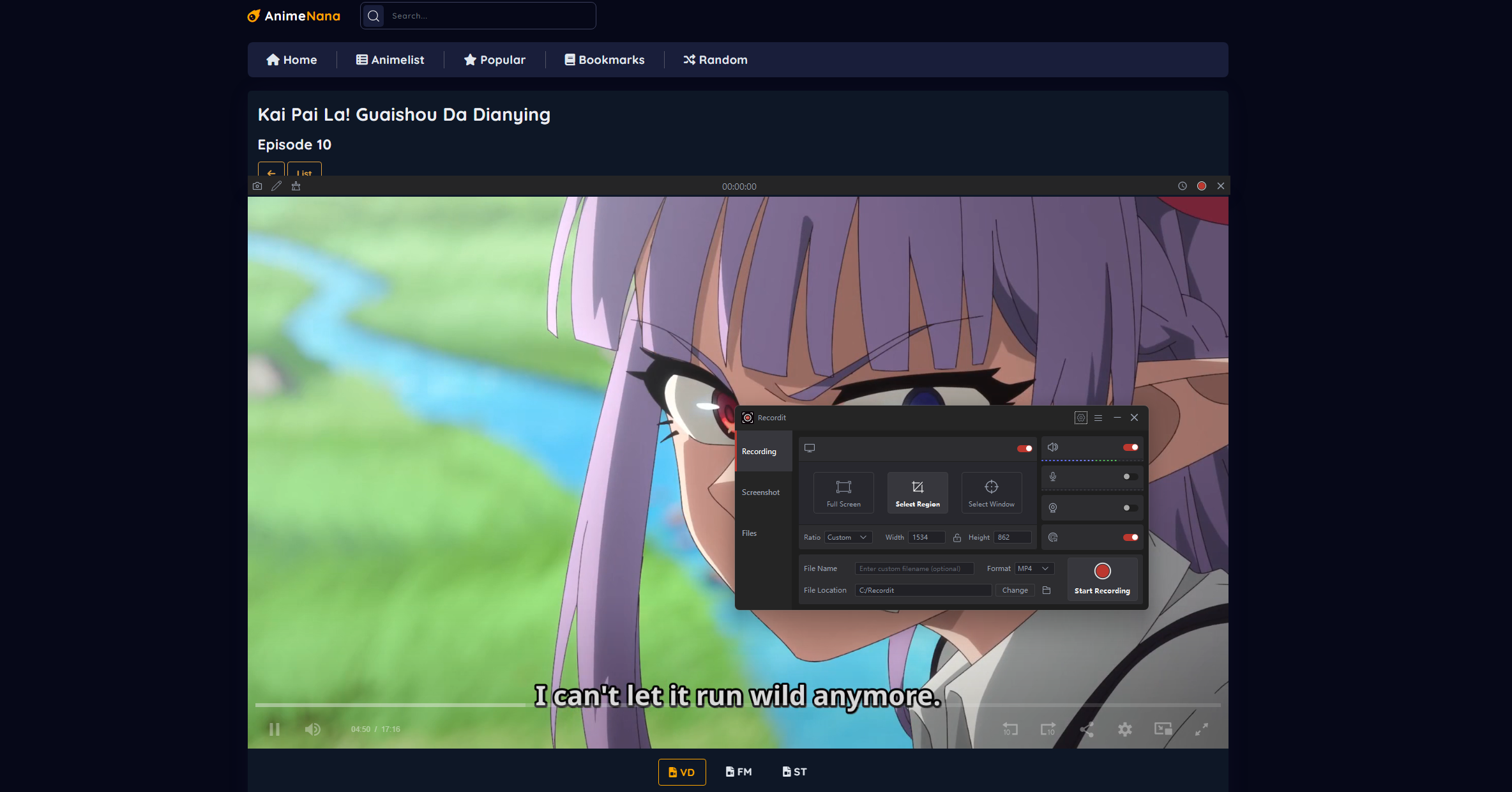
Uno dei metodi più comuni per salvare i video di AnimeNana è registrare lo schermo durante la riproduzione. Poiché la registrazione dello schermo cattura tutto ciò che appare sul display, funziona anche quando non è possibile scaricare direttamente i video.
Come registrare video con AnimeNana:
- Apri AnimeNana nel tuo browser e individua il video che desideri salvare.
- Avvia un'applicazione di registrazione dello schermo come Swyshare Recordit , quindi configura l'area di registrazione per acquisire il lettore video AnimeNana.
- Avvia la registrazione e riproduci il video dall'inizio alla fine.
- Interrompi la registrazione e salva il file video di AnimeNana registrato.
Pro:
- Compatibile con praticamente qualsiasi sito web di video.
- Non è necessario analizzare gli URL dei video.
- Sono disponibili numerosi strumenti di registrazione gratuiti.
Contro:
- Richiede la riproduzione dell'intero video in tempo reale.
- La qualità video potrebbe risultare inferiore rispetto al flusso originale.
- I file di grandi dimensioni possono occupare una notevole quantità di spazio di archiviazione.
- Le interruzioni durante la registrazione possono influire sul risultato finale.
La registrazione dello schermo è un'opzione di ripiego affidabile, ma non è la soluzione più efficiente per scaricare più video da AnimeNana.
2. Scarica i video di AnimeNana con i downloader online
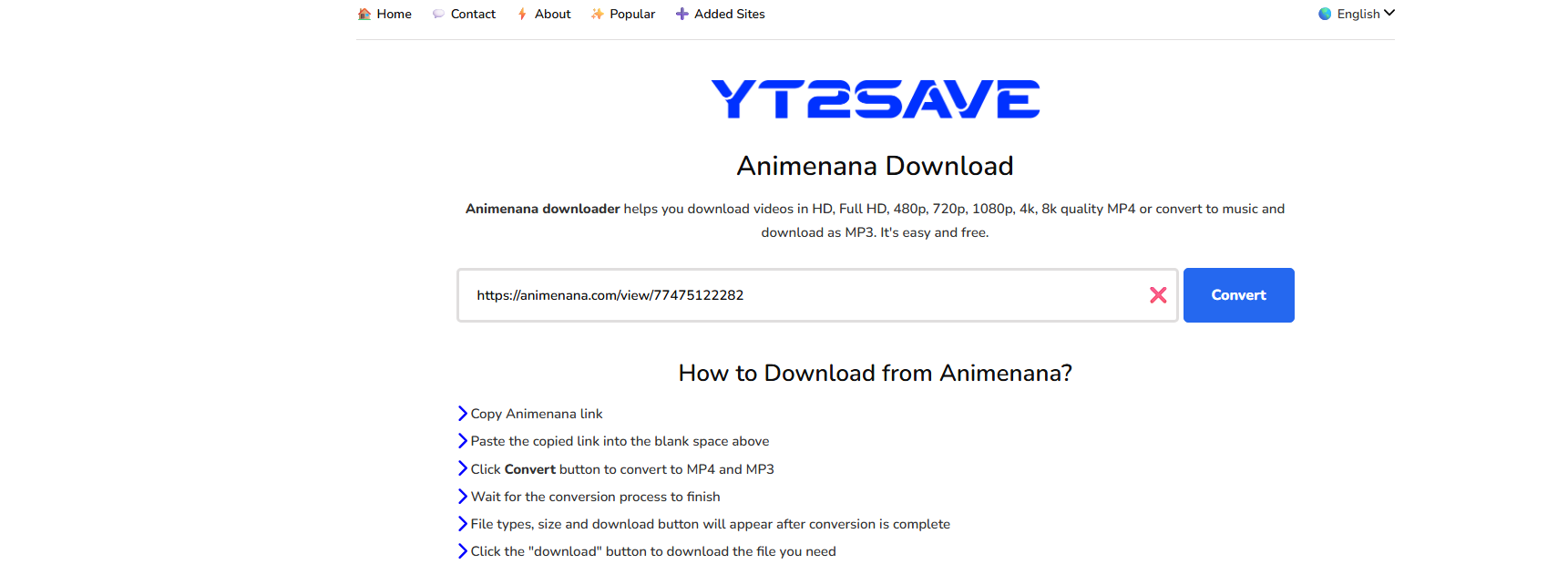
I servizi di download online rendono facile scaricare i video di AnimeNana direttamente senza software aggiuntivo. Servizi come YT2Save sono progettati per estrarre file video scaricabili dai siti web supportati.
Come usare YT2Save per scaricare da AnimeNana:
- Apri AnimeNana e copia l'URL della pagina del video.
- Visita la pagina di download di AnimeNana su YT2Save e incolla l'URL copiato nel campo di download.
- Fai clic sul pulsante di download o di analisi per estrarre il video.
- Seleziona la qualità e il formato video che preferisci, quindi scarica il file video AnimeNana generato sul tuo dispositivo.
Pro:
- Non è richiesta alcuna installazione di software.
- Semplice e adatto ai principianti.
- Funziona direttamente in un browser web.
Contro:
- Il supporto per i video di AnimeNana può variare.
- La velocità di download potrebbe essere limitata.
- Potrebbero comparire annunci pubblicitari e finestre pop-up.
- Il download in blocco non è generalmente disponibile.
I programmi di download online sono utili per i download occasionali, soprattutto quando si ha bisogno di salvare solo un singolo episodio o una clip.
3. Scarica i video di AnimeNana con le estensioni del browser
Le estensioni del browser possono semplificare il download rilevando automaticamente i file video di AnimeNana nel browser. Una delle estensioni per il download di video più utilizzate è Video DownloadHelper.
Come usare Video DownloadHelper per scaricare video da AnimeNana:
- Installa Video DownloadHelper dallo store delle estensioni del tuo browser.
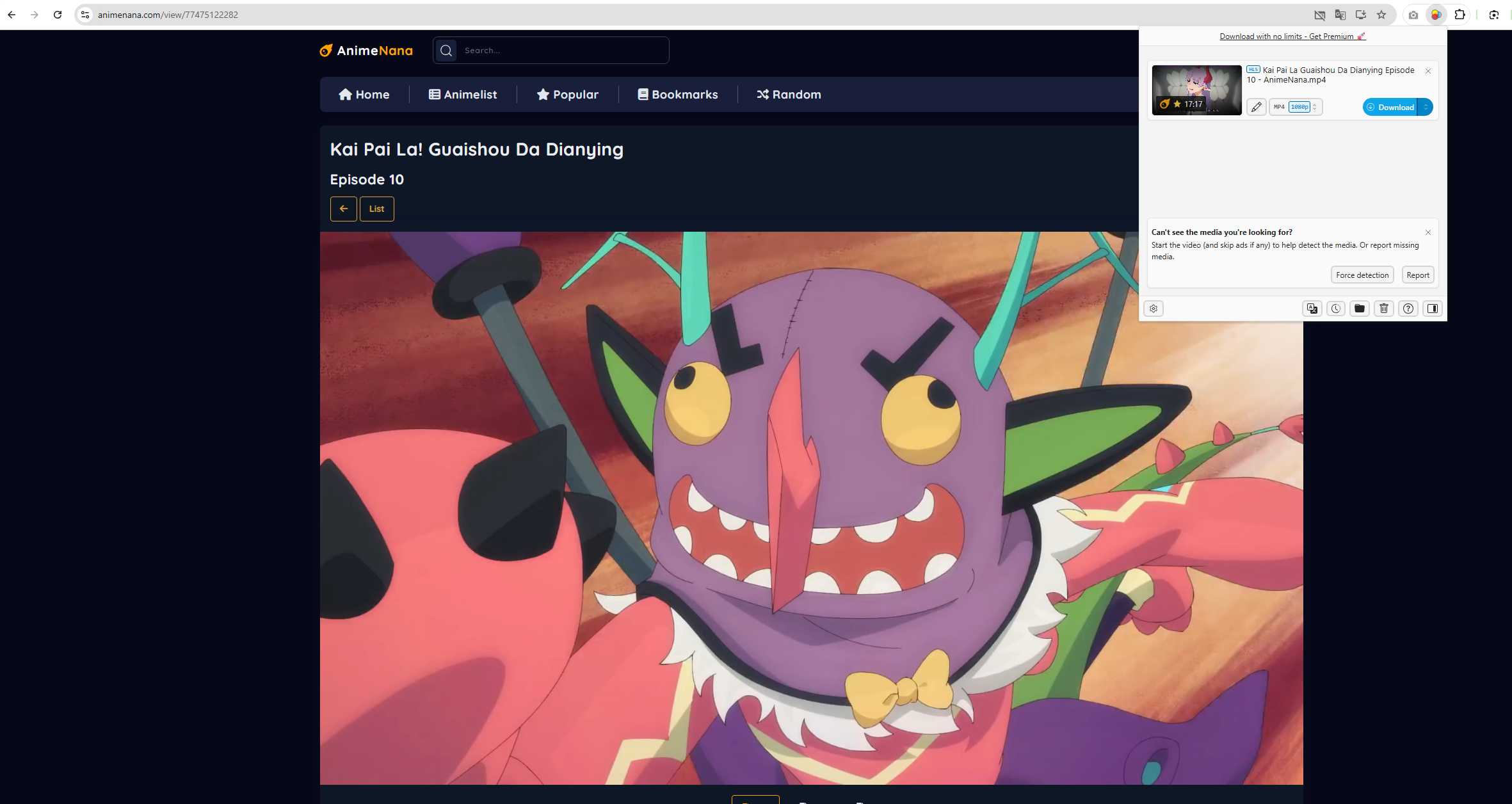
- Apri AnimeNana e riproduci il video desiderato; attendi che l'estensione rilevi il flusso multimediale.
- Fai clic sull'icona Video DownloadHelper nella barra degli strumenti del tuo browser.
- Seleziona il flusso video disponibile, quindi scegli una posizione di download e salva il file.
Pro:
- Integrato direttamente nel browser.
- Facile da consultare e da utilizzare.
- È in grado di rilevare numerosi formati video in streaming.
Contro:
- Il rilevamento potrebbe non riuscire su alcuni flussi protetti.
- Alcune funzionalità potrebbero richiedere un software complementare.
- Non è l'ideale per scaricare grandi librerie video.
Le estensioni per browser rappresentano una comoda via di mezzo tra gli strumenti online e le applicazioni dedicate al download.
4. Scarica in blocco i video di AnimeNana con Megat
Se scarichi regolarmente episodi di anime o intere serie, un downloader dedicato come Meget offre una soluzione molto più potente. A differenza delle estensioni del browser e dei servizi online, Molto È progettato per download efficienti e su larga scala e supporta il salvataggio di video di alta qualità.
Caratteristiche principali di Much:
- Scarica più video e intere playlist contemporaneamente
- Browser integrato per accedere e rilevare direttamente i video
- Salva i video nella loro risoluzione originale.
- Scarica e converti i video nei formati più diffusi, a seconda delle necessità.
- Disponibile sia per Windows che per macOS.
Come scaricare video di AnimeNana con Megat :
- Scarica e installa Megat sul tuo computer, quindi avvia l'applicazione.
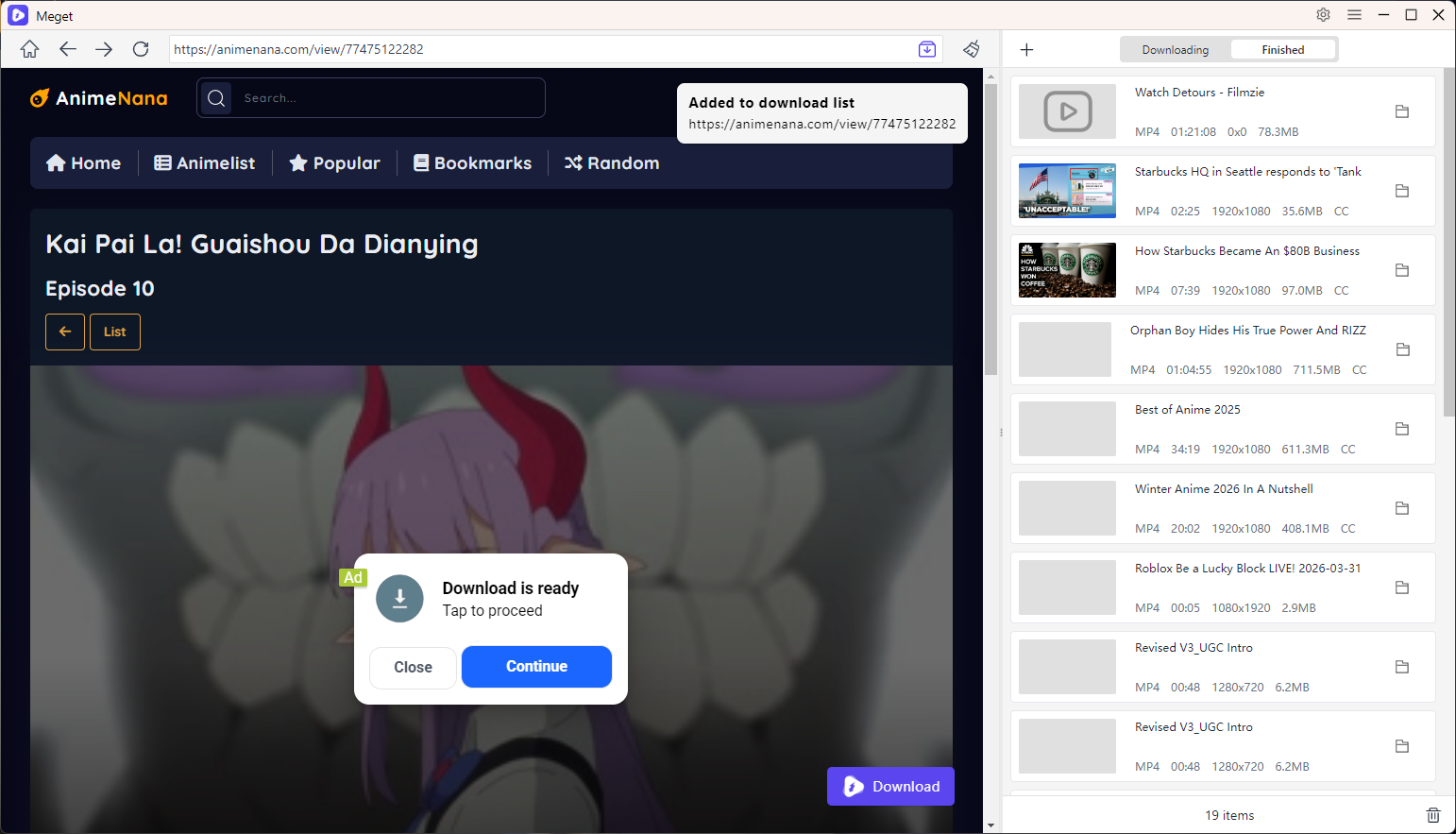
- Utilizza il browser integrato per visitare AnimeNana e navigare fino al video anime desiderato.
- Avvia la riproduzione del video affinché Meget possa rilevare lo streaming, fai clic sul pulsante di download e avvia il processo.
- Aggiungi altri video di AnimeNana alla coda di download e Megat li scaricherà simultaneamente.
5. Conclusion
Esistono diversi modi per scaricare video da AnimeNana e il metodo migliore dipende dalle tue esigenze specifiche. La registrazione dello schermo funziona universalmente ma richiede la riproduzione in tempo reale. I downloader online come YT2Save offrono una soluzione rapida per i download occasionali senza installare alcun software. Le estensioni per browser come Video DownloadHelper offrono ulteriore comodità integrandosi direttamente nel browser.
Tuttavia, se scarichi regolarmente episodi di anime, desideri file di qualità superiore o hai bisogno di salvare più video contemporaneamente, Meget si distingue come l'opzione più pratica. Il suo browser integrato, il rilevamento affidabile dei video, i download ad alta velocità e la possibilità di scaricare più video contemporaneamente lo rendono particolarmente adatto agli utenti di AnimeNana che desiderano un modo efficiente e organizzato per creare una libreria di anime offline.
Per i download occasionali, gli strumenti online possono essere sufficienti. Per i collezionisti di anime seri e gli utenti esperti, Molto è la soluzione consigliata.
- Le migliori alternative a CocoCut per scaricare video che dovresti provare
- Come scaricare da Movies2Watch?
- Panoramica di GenYouTube: una guida completa alle sue funzionalità e al suo utilizzo.
- Recensione di Tuberipper: vale la pena usarlo?
- Come risolvere il problema "4K Video Downloader non riesce a trovare un formato valido"?
- Come risolvere il problema del downloader 4K che impiega solo 10 secondi?
- Le migliori alternative a CocoCut per scaricare video che dovresti provare
- Come scaricare da Movies2Watch?
- Panoramica di GenYouTube: una guida completa alle sue funzionalità e al suo utilizzo.
- Recensione di Tuberipper: vale la pena usarlo?
- Come risolvere il problema "4K Video Downloader non riesce a trovare un formato valido"?
- Come risolvere il problema del downloader 4K che impiega solo 10 secondi?
- La lista definitiva dei migliori XDownloader per scaricare video X